Features
Know which exhibits are in and which are still out
It is 4:50pm on the second day. The judge asks whether plaintiff's 14 came in yesterday or was reserved. Three people start flipping through legal pads with different shorthand on them, and the answer arrives forty seconds later than it should have.
Exhibit Room gives every exhibit one of five statuses, written out in words next to it in the exhibit list. Changing a status takes a couple of seconds, which is the only reason anyone actually keeps a record current while a trial is moving.
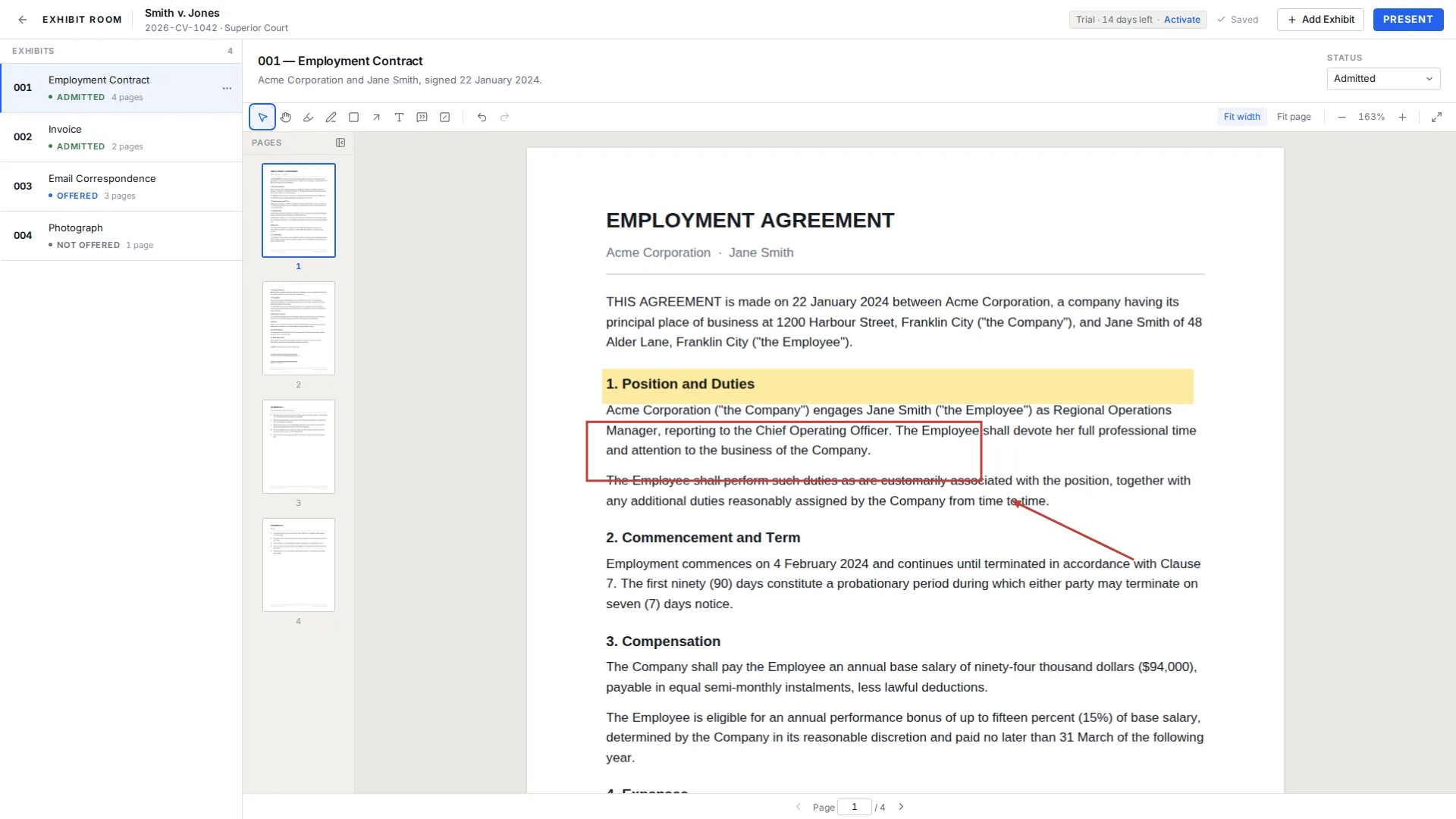
The five statuses
| Status | What you are recording |
|---|---|
| Not offered | In your set and prepared, but not yet put to a witness or the court |
| Offered | Offered into evidence, with no ruling yet, or a ruling reserved |
| Admitted | Received into evidence |
| Rejected | Not received, whether on objection or on the court's own view |
| Illustrative | Used to explain testimony rather than as substantive evidence |
Changing status while you are on your feet
Status lives on the exhibit's context actions, next to open, rename, replace PDF and duplicate. Open the action, pick the status, done. You can do it between questions, and you can do it from the exhibit list without opening the document, so the person running the screen can update the record while the lawyer keeps going.
The practical rhythm most teams settle into: the second in chair updates status as each ruling lands, and the whole set gets a thirty-second read-through at the first break. By the end of the day you have a current picture instead of a reconstruction.
Why it is text and not a color
Colored dots are fast to draw and slow to read. Under courtroom lighting, on a laptop at an angle, with a colleague reading over your shoulder who was not there when you chose the scheme, green and amber stop meaning anything. Roughly one in twelve men has some form of color vision deficiency, which is enough to make a color-only system fail for someone on a typical trial team.
So Exhibit Room writes the word. "Admitted" is unambiguous to anyone who glances at the screen, including the associate who joined the case this morning.
Your record is not the court's record
What you keep in Exhibit Room is your working copy. The official record of what was offered and what was received is the court's, kept by the clerk and reflected in the transcript, and where the two disagree the court's record governs. Use your set to stay oriented and to prompt the right question at the right moment, not as the thing you rely on for an appeal.
Exhibit Room also does not print exhibit lists, so if the court wants a written list of admitted exhibits at the close of a day, keep that separately. The exhibit admission tracker and the trial exhibit list template are built for exactly that, and tracking exhibit status during trial covers how the two fit together.
Questions about statuses
Does changing a status here affect the court record?
Not at all. Exhibit Room is your own file. Nothing in it is transmitted to a court, a clerk or another party.
Can I add my own status names?
No. There are five, and they are fixed. If you need a finer distinction, such as which objection was sustained, put it in the exhibit's description field.
What belongs in Illustrative?
Material used to help a witness explain testimony rather than to prove a fact, such as a timeline or an annotated diagram. What courts permit varies, so confirm locally.
An exhibit was admitted for a limited purpose. What do I mark?
Mark it Admitted and record the limitation in the description. The status field is a five-way switch, not a place for the substance of a ruling.
Keep a current exhibit record for your next trial
No credit card required · Works offline · No subscription