Exhibit Management
Keep every exhibit organized and easy to find.
Exhibit Room
Prepare, organize, annotate and present courtroom exhibits from one focused desktop application.
No credit card required · Works offline · No subscription
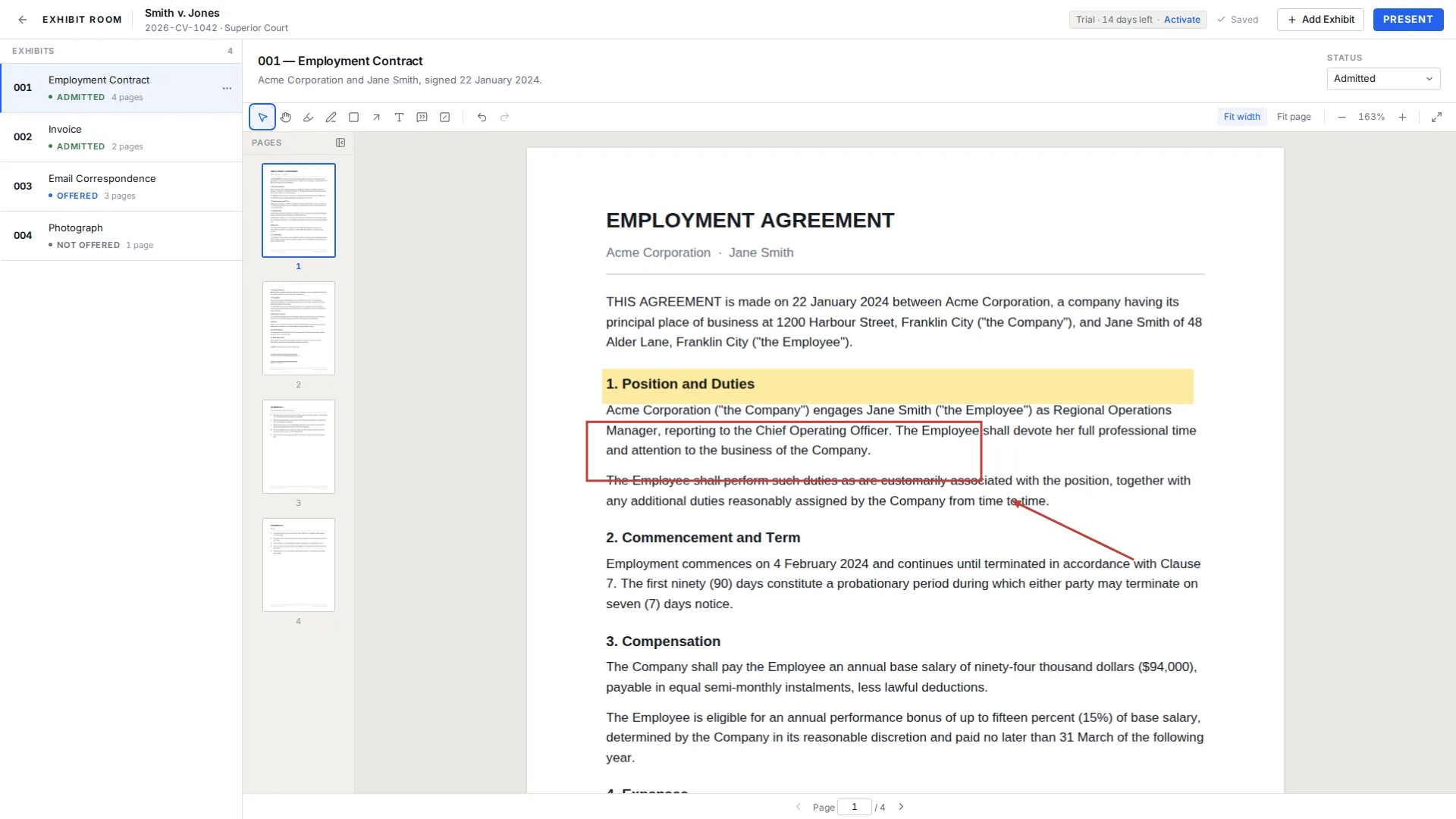
The problem
General-purpose PDF software can open documents.
But preparing and presenting evidence requires more:
Exhibit Room brings those pieces into one focused workflow.
How it works
Bring your PDFs into a trial.
Annotate, highlight, redact and organize exhibits.
Go full screen. Draw, highlight, point and magnify as you examine, from the keyboard.
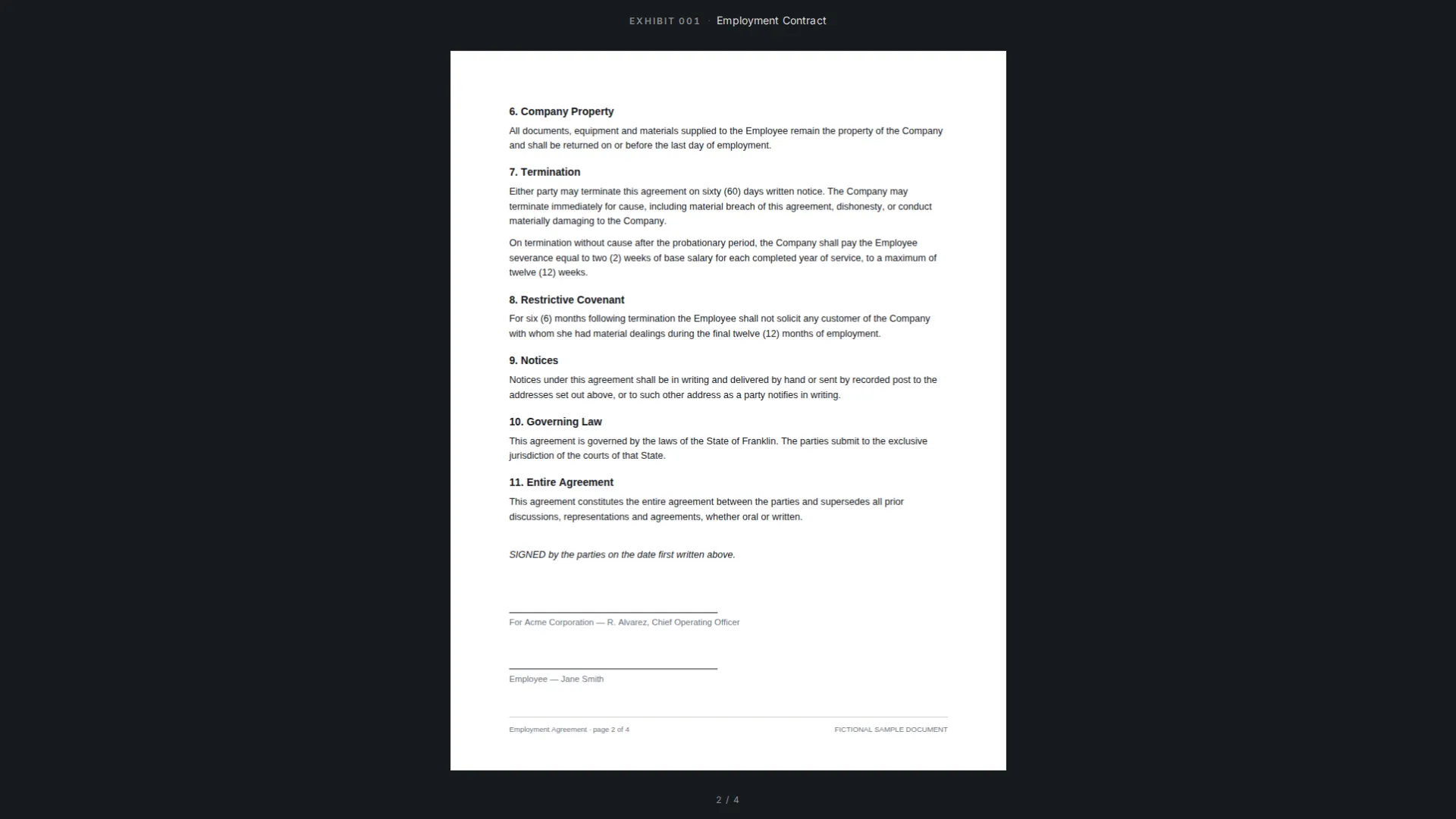
While you present
Six live tools, one key each. Marks belong to the moment: they vanish when you switch exhibit or leave presentation, unless you press ⌘/Ctrl + S to keep them. The PDF itself is never touched.
Circle the clause while the witness reads it.
A translucent band over the line that matters.
Point at the date stamp, the signature, the total.
Frame one row of a ledger or one paragraph.
A pointer the whole room can follow. Hold the mouse.
Drag an area and it is magnified in a panel.
Backspace removes the last mark, X clears the page, ⌘/Ctrl + Z undoes. Esc puts the tool down before it ever leaves presentation.
Features
Keep every exhibit organized and easy to find.
Highlight, mark, point and add notes.
Full screen, keyboard driven. Arrow keys turn pages, E switches exhibit, Esc leaves.
Pen, highlight, arrow, box, laser and zoom callouts while you present. Marks are per session; save them to the exhibit with one key or let them go.
Ctrl/Cmd + wheel or a trackpad pinch zooms around the pointer. Arrows, + and − zoom too; F and W fit the page or its width.
Press ? at any time for the full keyboard reference, pinned until you dismiss it.
Track offered, admitted, rejected and illustrative exhibits.
Your case continues working without an internet connection.
Your case documents remain on your computer.
Privacy
Exhibit Room is designed local-first.
Your PDFs and case documents stay on your computer. The application does not require you to upload sensitive evidence to the cloud.
$149 once. Lifetime license, includes updates, use on up to 2 computers.
Chat with us
Questions about the trial, licensing or courtroom setup.