Features
One trial, one ordered set of exhibits
The failure mode is familiar: a folder with forty PDFs, six of them called something like Lease_signed_v2_FINAL, two of them identical except one has a page missing, and an ordering that depends on whether the operating system sorts 10 before 9. Somebody renames a file the night before and the numbering on the printed list stops matching the numbering on disk.
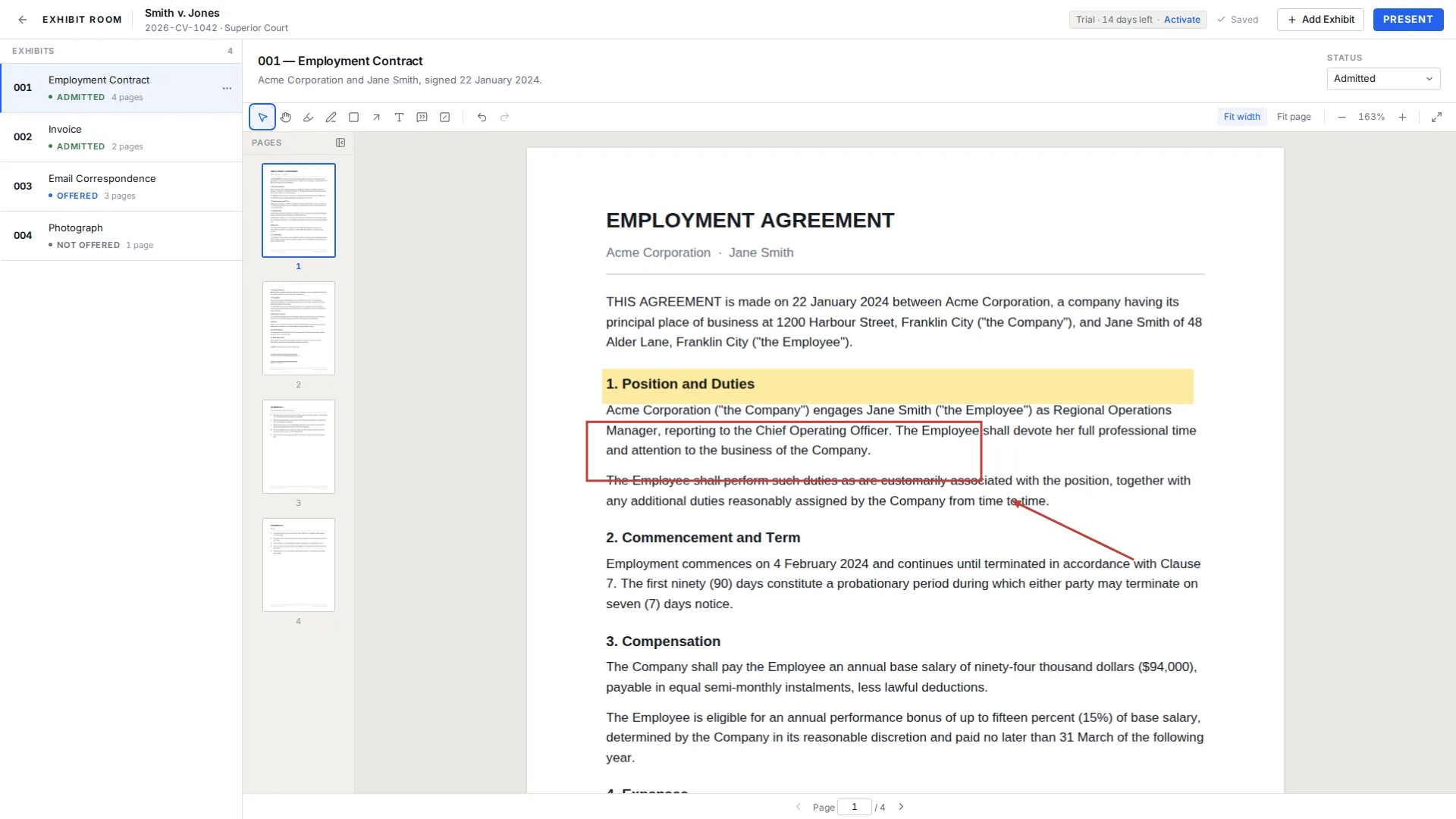
Exhibit Room replaces the folder with a trial. A trial holds an ordered list of exhibits, each with a number, a name, a description and one PDF, and the order you see is the order you set.
Start with the matter, not the files
Create a trial with the case name, which is the only required field, and add the case number, the court and the parties if you have them. Those details stay attached to the set, so a colleague opening the app in nine months knows what they are looking at without asking.
Trials can be renamed, duplicated, searched and deleted. Duplicating is more useful than it sounds: copy last year's structure for a similar matter, or keep a second version of a set for a different hearing. A fictional demo trial, Smith v. Jones, ships with the app so you can try all of this without touching real client material.
Numbering that matches your court
The default scheme is 001, 002, 003, but the number is just a field, so you can use whatever the court, the local rules or the other side's stipulation calls for: A, B, C; P-12 and D-7; A-1 and A-2 for sub-parts. Whatever you type is what appears beside the exhibit in the list and on the screen during presentation.
Pick the scheme before you import anything, because renumbering a set you have already circulated is the sort of task that eats an evening. How to number trial exhibits goes through the usual conventions and the traps in each.
Importing and keeping the set tidy
Bring PDFs in through the file picker or by dragging them onto the window, several at once. Then give each one a name a human recognizes, and use the description field for the things you will want at 9am: the pages that matter, the witness who authenticates it, the objection you expect.
Exhibits can be reordered by dragging. Each one has context actions: open, rename, change status, replace the PDF, duplicate, and delete, which asks for confirmation first. Replace is the one that saves the most grief, because when a better scan of the same document turns up you swap the file and keep the number, the name and the position.
A set that holds up under pressure
- One numbering scheme, chosen before the first import
- Names a stranger could read out loud, not file names
- Key page numbers written into each description
- Order matching how you will actually use them, not the order they arrived
- One PDF per exhibit, with multi-part documents combined before import
- A duplicate of any exhibit you need both clean and annotated
Organizing questions
Can I import Word files, spreadsheets or photographs directly?
No. Exhibit Room takes PDFs. Convert or export to PDF first; presenting photographs covers what that means for images.
Can one exhibit hold two PDFs?
No, it is one PDF per exhibit. If a document arrived as separate files, combine them into a single PDF before you import.
Can I change an exhibit's number after importing?
Yes. Number, name and description are fields on the exhibit and can be edited at any time.
The same document is an exhibit in two matters. What then?
Import it into each trial. Trials are independent sets, and annotations made in one do not appear in the other.
How do I find a trial months later?
Search the trial list by case name. Naming trials the way your firm names matters makes this reliable.
Build a real exhibit set in an afternoon
No credit card required · Works offline · No subscription